Rapier could not start
Reload this file. Your document has not been opened or changed.
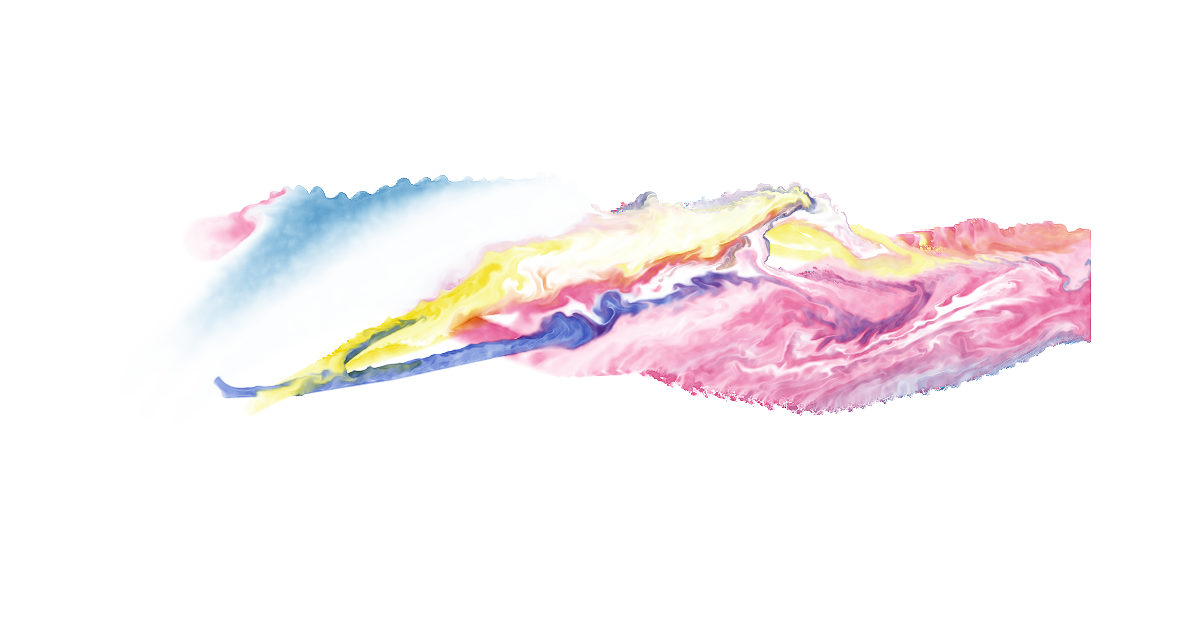
Paint watercolor online with Rapier Water. Blend pigments, lay transparent washes and let wet color spread across textured paper. Use a mouse, a finger or a pressure-sensitive pen. The editor is free, with no account or installation required.
Water needs a compatible browser with WebGPU; the editor reports whether it is available.
Rapier Watercolor opens Draw with Water selected. You can also choose Water inside any drawing. Choose a brush and a pigment, set the brush size, and paint on the canvas. Change the water and paint load for a light wash or a stronger mark. Add another color while the first is wet to mix them on the paper.
Water continues moving after a stroke. Wet washes meet and spread; pigment settles into the paper's texture and gathers at drying edges. Control flow, bleed, edge darkening, granulation and drying to shape the result. Paper settings change how the wash behaves, while the canvas background stays separate from the paint.
Use the water tool to wet the paper and the lift tool to take pigment back out. A light wash leaves room for the next color; a drier brush brings out the paper's grain. Undo lets you return to an earlier stroke while you explore a mixture or composition.
The painting is a transparent layer inside an editable drawing. Set the paint, then move or resize it alongside shapes, lettering and other pictures. The paper background is independent, so the painting can sit over a different canvas color or become part of an illustrated document.
Press Done to place the drawing in your document. Text and pictures travel together in one Markdown file, including the image bytes. Save that file, or keep the whole editor and document as an offline HTML page. Your work remains yours to reopen, revise and share.
Add a watercolor sketch to a field journal, illustrate a garden plan, paint a study for a letter or make a picture for a note. Rapier Draw adds editable shapes, connected arrows and text. Rapier Notes keeps your writing and illustrations together as Markdown notes.
Painting runs on your device. Ordinary local painting does not upload your work, and there is no account, advertising or tracking. An explicitly connected workspace or sync service can send work you choose to share. After the editor has loaded, you can keep working offline. See privacy and terms for connected features.
Reload this file. Your document has not been opened or changed.

Write docs, keep notes, draw and paint. Everything you make is plain Markdown. Fast, offline, free. Made for your phone, and it works on anything with a browser.
Now or in 20 years.
TipDrag the circle at the right edge to fly through a long document, or tap it to see the headings.
Contents
rite the way you would on paper. Rapier keeps it as plain Markdown. This W is an SVG, from one of Draw's four letter sets, traced from old books in the British Library. Tap it, then the brush, and change it. Every big letter on this page is one of them.
Bold, italic, struck through, underlined, code, highlighted, 🟢green, 🔴red, 🔵blue, H2O and 1st. All plain Markdown. Any other Markdown app can open the file.[1]
A quote like this starts with
>.
NoteA callout is a quote that starts with
[!NOTE],[!TIP]or[!WARNING]. Apps that don't know callouts show a quote. Nothing breaks.
Keeps a long page short. Tap the title to open or close it. + → Expanding section adds one.
Find and replace is behind the magnifier. + → Line adds a page break for PDF and Word. Footnote, Divider and Table of contents live there too.
dd a picture: PNG, JPEG, WebP or JPEG XL. Drag it to move or resize it. Words wrap around the picture's outline, not its box. Tap a picture for its controls: the brush opens it in Draw, T changes its description, and you can rotate or fade it. Pictures live inside this Markdown file. Nothing is uploaded, ever. New pictures are saved as JPEG XL by Rapier's own encoder, so they stay small.
Draw with the brush in the formatting toolbar. Brush follows your pressure and speed. Select a shape to move, resize, label or restyle it, or attach an arrow to it that moves with the shape. Drawings are saved in the file as SVG: sharp at any size, editable forever.
Background makes beautiful adaptive SVGs you control with sliders. Aurora, topographic, textures, gradients and a lot more. Inside Draw mode, tap the canvas icon and then Background.
This rapier is a drawing too. The words follow its outline, not a box, unless you want them to. Tap it, then the brush, and you can edit this SVG. Its grip is a line turned into a tube and a rope: Select, tap a line, then Style → Look for a spring, rope or tube.
aint with your finger. Paint Brush is real paint: oil, bristle, marker, pencil, pen and watercolor. Rapier runs its own mobile paint engine and MyPaint brushes. Watercolor spreads and dries. Smudge, smear, blend and erase paint that's already down. A painting is just a picture layer on your canvas, saved losslessly, which you can resize, export or continue painting.
Paint watercolor online with Rapier Water. Blend pigments, lay transparent washes and let wet color spread across textured paper. Use a mouse, a finger or a pressure-sensitive pen. The editor is free, with no account or installation required.
Water needs a compatible browser with WebGPU; the editor reports whether it is available.
Rapier Watercolor opens Draw with Water selected. You can also choose Water inside any drawing. Choose a brush and a pigment, set the brush size, and paint on the canvas. Change the water and paint load for a light wash or a stronger mark. Add another color while the first is wet to mix them on the paper.
Water continues moving after a stroke. Wet washes meet and spread; pigment settles into the paper's texture and gathers at drying edges. Control flow, bleed, edge darkening, granulation and drying to shape the result. Paper settings change how the wash behaves, while the canvas background stays separate from the paint.
Use the water tool to wet the paper and the lift tool to take pigment back out. A light wash leaves room for the next color; a drier brush brings out the paper's grain. Undo lets you return to an earlier stroke while you explore a mixture or composition.
The painting is a transparent layer inside an editable drawing. Set the paint, then move or resize it alongside shapes, lettering and other pictures. The paper background is independent, so the painting can sit over a different canvas color or become part of an illustrated document.
Press Done to place the drawing in your document. Text and pictures travel together in one Markdown file, including the image bytes. Save that file, or keep the whole editor and document as an offline HTML page. Your work remains yours to reopen, revise and share.
Add a watercolor sketch to a field journal, illustrate a garden plan, paint a study for a letter or make a picture for a note. Rapier Draw adds editable shapes, connected arrows and text. Rapier Notes keeps your writing and illustrations together as Markdown notes.
Painting runs on your device. Ordinary local painting does not upload your work, and there is no account, advertising or tracking. An explicitly connected workspace or sync service can send work you choose to share. After the editor has loaded, you can keep working offline. See privacy and terms for connected features.
| Task | Status |
|---|---|
| Write the draft | Done |
| Send it for review | Waiting |
| Print it | Not yet |
Tap a cell to edit it, or drag the handles to move cells. Add cells with the + and − buttons on the bar that appears under the table. Paste cells from a spreadsheet and the table grows to fit.
export function twice(x) {
  return x + x;
}
Code is highlighted offline. Text and code files open in a source editor, where the circle jumps to a line or a declaration. The eye/code switch in Settings shows the Markdown source of this page.
Open Notes from the ••• menu at the top right.
Every note is a Markdown file shown as a card. Pin, color, sort into sections, attach pictures and voice notes. You can turn on proper checklists inside Notes and, if you use the Android app, add reminders and other native features. Search your notes, link and tag them, and restore any earlier version. Import brings in Google Keep, Apple Notes, Evernote, Notion, Obsidian and more. Backup saves everything as one ZIP file. Sync keeps them in your own Cloudflare account, encrypted with a key that never leaves your device.
TipBack up the notes you care about. The Android app keeps notes in its own files, outside Android's automatic backup.
Open Markdown, text, code, Word, TextPack or PDF files. A Word document becomes an editable page, pictures and everything. A PDF comes in as text when possible.
Rapier keeps a draft as you work, so a closed app or tab keeps your work for a while. Press Save often to keep it properly.
Under the three dots, Copy, Share and Export send your work as text, PDF, Word or an offline web page that opens on any device, and Rapier can open it again for editing.
Compare, in the settings panel, shows what changed between this document and another.
- Rapier is a good Markdown editor
+ Rapier is the best Markdown editor ever
Muse, Claude, ChatGPT or any agent that speaks MCP can work or make art with you right here on the page. Ask it to explain, diagram, rewrite, plan, draw or paint. It reads only the parts it needs through Rapier's agent tools. Your agent can't overwrite what you're typing. Every change shows where it lands, and you can keep it or drop it. Undoing its change never undoes yours.
Three modes. Free by default. FREE: it edits as it goes. CHECK: it waits until you've seen its last change. ASK: every edit is a proposal.
The agent has every control you have, without touching the screen. It draws SVG diagrams you can move by hand, makes SVGs and paintings on the canvas, writes Mermaid flowcharts as text, and reads the shape of a document or a code file before its words. Rapier supports two kinds of diagram: the default is an SVG drawing you can move around; a Mermaid flowchart is a mermaid fence in the Markdown, drawn by the Mermaid plugin if you prefer it.
While an agent is here, the scroll circle on the right pulses. Tap it for status, messages and changes. Select a passage and tap Ask to talk about that part.
To connect, add https://mcp.rapier.website/mcp as a connector in Claude, ChatGPT, Muse or any app that takes MCP. No account, no key. In Claude Code, the Rapier plugin sets it up.
Try: "Explain how Rapier works." The agent draws a diagram like this one, with numbered steps, colors and arrows.
Tap a diagram once to select it. Move or resize it like a picture, tap a label to type new words, or drag a box and its arrows follow.
Most editors turn your file into their own format and back again. Rapier doesn't. Its kernel keeps your Markdown exactly as you wrote it, character for character. Every change is one small edit to that text. That's why Undo takes back exactly one thing, an agent can rewrite one sentence while you type in another, and the file you save opens unchanged anywhere.
On a long document Rapier lays out only what's near your screen. A whole book opens almost at once.
Pictures are saved as JPEG XL by Rapier's own encoder, written in JavaScript, so they stay small and nothing is uploaded. Drawings stay SVG: sharp at any size and editable.
Made for your phone, works anywhere with a browser. Use it at rapier.website, install it as an app, or keep rapier.html on a USB stick. The Android app has no internet permission. The whole editor is one file, under 2 MB.
Hold Ctrl (Cmd on a Mac), then:
| Key | Action |
|---|---|
K |
Every command |
F · H |
Find · Replace |
S · Shift S |
Save · Save as |
Z · Shift Z |
Undo · Redo |
B · I · U |
Bold · Italic · Underline |
. · , |
Superscript · Subscript |
Alt 1 to Alt 6 |
Headings |
Alt 0 |
Paragraph |
M · Shift M |
Indent · Outdent |
Alt H |
Highlight |
Enter |
Page break |
Alt , |
Settings |
With words selected, K adds a link. Tab and Shift Tab nest a list item, indent code or move through a table. Esc closes what's open.
npx rapier-html notes.md
npx rapier-html notes.md --view draw
npm install rapier-markdown-kit
npm install rapier-embed
rapier-html opens a document in the whole editor. rapier-markdown-kit reads and writes Markdown. rapier-embed puts Rapier inside your own app. The agent tools are described in llms.txt and agents.md; the hosted connection is https://mcp.rapier.website/mcp.
Rapier is open source under AGPL-3.0-only. The Markdown kit, the JPEG XL encoder and Will are MIT.
Working with an agent? Say what it may do with each part of the document. Select a section, tap W on the bar, then type an intent or lock the section. Agents read them from invisible comments that travel in the file: Markdown, Word, PDF and Rapier's exported web pages.
A footnote. Tap the arrow to go back. ↩︎