Rapier could not start
Reload this file. Your document has not been opened or changed.
Rapier is a free online Markdown editor. Write on the formatted page or in the Markdown source, on your phone or computer; there is no split preview. The file stays plain Markdown. Open a .md file to read it formatted, or import Word or PDF. Free and open source (AGPL-3.0-only); no account, ads or tracking; works offline.
Headings, lists, checklists, tables, footnotes, callouts, syntax-colored code, LaTeX math and Mermaid diagrams, with find and replace, text-to-speech and undo. Paste cells from a spreadsheet and they become a Markdown table. PNG, JPEG, WebP, JPEG XL and SVG pictures live inside the Markdown file, and text wraps around their real shape. Rapier keeps a draft as you work, and Save writes a .md file.
Tap ••• at the top right, then open, and pick a .md file; on Android, open it from your file manager. Headings, tables, checklists, code, math and Mermaid diagrams show formatted. Nothing is uploaded; it works offline. Edit in place, switch to the source, or turn on read only in settings.
Paste or open your Markdown, tap ••• at the top right, then .pdf under export. The PDF is written on your device, nothing uploaded: searchable text, tables, code, math and pictures as they look on the page. The Markdown travels inside the PDF, so Rapier opens it again as the same file. Markdown to PDF
Tap ••• at the top right, then .docx under export, for an editable Word document with headings, lists, tables, code and pictures. Markdown to Word
Tap ••• at the top right, then open, and pick a .docx file. It becomes an editable Markdown page, pictures included, and Save writes the .md file. Word to Markdown
Tap ••• at the top right, then open, and pick a .pdf file. Choose Editable text and it becomes Markdown you can edit, pictures included. PDF to Markdown
Paste two texts, or choose two Markdown, code, Word or PDF files, and see what changed, word by word. A moved paragraph shows as a move, and nothing is uploaded. Compare documents
Write Mermaid and the diagram is drawn as you type: flowcharts, sequence, class, state and ER diagrams, Gantt charts, mind maps and more. Save it as SVG or PNG, or put it in a document. Flowcharts draw at once; the other kinds use the free diagram plug-in, which downloads once. Free diagram maker
Rapier also opens text, code, TextPack and PDF (PDF import is a free plug-in), and exports plain text and a static offline web page. Share a .rapier.html file with the whole editor inside so someone can edit or comment offline and send it back. The Markdown converter turns many PDF, Word and HTML files into Markdown at once, or Markdown into Word, PDF or HTML.
Notes are Markdown files with colors, pins, checklists, voice recordings, tags, history and search; import from Google Keep, Evernote, Notion, Obsidian and 15+ other apps. Draw freehand or build diagrams with connected arrows, kept as editable SVG inside your file. Paint with oil, pencil, marker and MyPaint brushes, or watercolor with flowing pigments on textured paper. The Gallery holds thousands of free ornaments, borders and decorative letters, the JPEG XL converter makes JXL pictures on your device, and the LaTeX equation editor draws equations for Word, SVG and PNG.
An AI agent can edit with you live, and you see its changes and undo any of them. Connect Claude, ChatGPT, Grok Bot, Cursor or another MCP client to https://mcp.rapier.website/door/mcp with no account, or use WebMCP in the browser. See the agent guide.
In a browser, on Android (Google Play), Windows and Linux, or as one HTML file that you keep in a folder. The Android app has no internet permission.
Rapier · Compare documents · Source · llms.txt · Privacy and terms · Commercial license
Rapier needs no account signup and uses no analytics or advertising. It collects no personal information from anyone, children included. Your files stay on your device until you save, share, back up or sync them. Sync writes plain files to the storage you choose. You keep or delete local files; Delete forever removes notes and their history.
The Android editor has no Internet permission. It records audio only when you press Record, into your notes. Google Play handles purchases, reviews and optional plugin downloads under its policy.
Sharing a document through the hosted agent door (mcp.rapier.website) sends the content you choose there for shared reading and editing. Its private workspace keeps the document, retained edit history, inspected passages, presence, selections and tool records. Authorized connections and secret document references control workspace access. Active use renews workspace expiry to 30 days; unchanged sync does not. Expired workspaces are cleared on their next request or deletion alarm. In the editor, you can delete the workspace or disconnect agents from that document. The door keeps creation and registration budget records for one hour and tool invocation budget records for one minute. Your assistant's host handles the conversation under its policy.
Essential cookies remember the browser that approved connected apps for up to 90 days, guard consent, and authorize paired editors for up to 24 hours. OAuth access tokens expire after 15 minutes. Refresh grants and client registrations expire after 90 days without renewal. You can revoke a connected app at Connected apps. Revoking a connection preserves your hosted documents; delete their workspaces to remove them.
Hosted exports keep an unchanged file copy. A download link lasts up to 24 hours within the workspace's lifetime, and is revoked when you delete the workspace or disconnect agents. Expired copies are cleared on the next workspace update or deletion.
Cloudflare serves the page and door and sees what web requests show.
Rapier is free software: AGPL-3.0-only for the editor; MIT for the Markdown standard and embed helper. Provided as is, without warranty where law allows. Keep your own copies. The door may change or close.
Jack Skipworth · hello@rapier.website · effective 15 October 2026
Connector privacy and terms use the same policy.
Rapier is free under AGPL-3.0. These lifetime licenses offer alternative terms for organizations that need them.
2026 early adopter special
US$1,000 US$200 once
Ship Rapier in your product without sharing your source. Show “Editor by Rapier”, linked to rapier.website, on the screen where people use it.
US$5,000 once
The same, with no credit.
Each license covers one organization and all its products. No royalties, seats or renewals. Future releases are included; support is not.
hello@rapier.websiteRapier Notes keeps your notes on your device, as plain Markdown files shown as cards. Pin and color them, add checklists, pictures and voice notes, and go back to any earlier version. Import brings in Google Keep, Apple Notes, Evernote, Notion, Obsidian and more. There is no account. The Android app adds reminders and a home-screen widget.
Also: Free online Markdown editor · Free drawing app online
Yes. Import your Google Keep notes from a Google Takeout export: text, checklists, pins and pictures become Markdown notes.
On your device, in your browser or the Android app. Nothing is uploaded unless you turn on sync to storage you own.
Yes, Rapier on Google Play. It has no internet permission.
Yes. Rapier is free and open source, with no account, ads or tracking.
Every note is a Markdown file shown as a card. Import brings in Google Keep, Apple Notes, Evernote, Notion, Obsidian and Joplin. Sync keeps notes as plain files in your own cloud storage.
Tip. Back up the notes you care about. The Android app keeps notes outside Android's automatic backup.
In Notes, tap Import and pick the app you are coming from, then the files it exported. Rapier reads them on your device and makes each one a Markdown note. Nothing already in your notes changes.
Choose your Google Takeout zip, or all the files in its Keep folder.
Your vault as a zip, or its .md files and pictures.
Your graph folder as a zip, or its pages.
The JSON export.
The Markdown or TextBundle export.
A .textpack, or the bundle's files.
A .jex export, or the raw export's files.
The Markdown & CSV export zip.
An .enex notebook export.
The export zip.
A decrypted backup zip.
The JSON export zip.
The HTML export.
The Markdown or TextBundle export.
The Markdown or HTML export.
The Markdown export.
The notes folder as a zip; its folders become sections.
Notes exported as Markdown from the share sheet.
Docs exported as Markdown.
A page saved as a single file web page (.mht) or a Word file.
Notes saved as text or Word files.
Rapier Draw opens a canvas in your browser. Draw with your finger on a phone, or with a mouse or a pen. Select a shape to move, resize, label or restyle it, or attach an arrow that moves with it. Drawings are SVG: sharp at any size and editable later.
Also: Free painting app online · Online watercolor painting · Gallery · Free diagram maker
Yes. Rapier is made for phones first: draw with your finger, and pinch to zoom.
No. Draw runs in your browser. There is also an Android app on Google Play.
Press Done and it goes into your document as an editable SVG. Save the document as one Markdown file, pictures inside.
Yes. Rapier is free and open source, with no account, ads or tracking.
Draw with the brush on the formatting toolbar. Drawings are saved in the file as SVG: sharp at any size, editable forever.
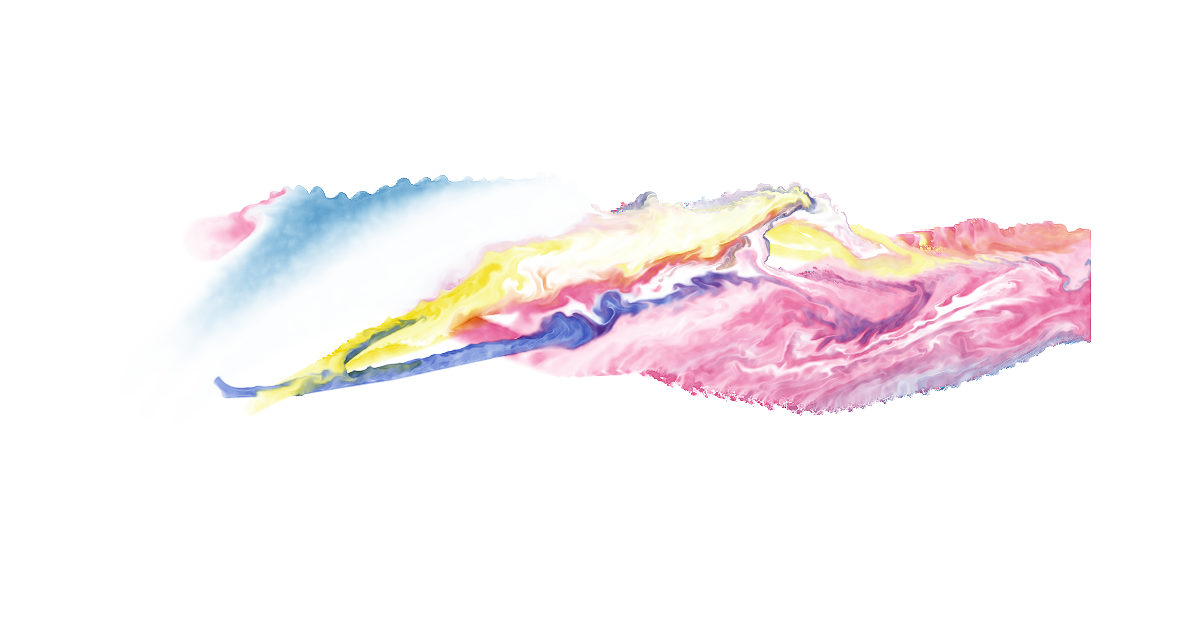
This page opens a watercolor canvas. Wet color spreads across textured paper, pigments blend, and washes dry with darker edges. Paint with a finger, a mouse or a pen.
Also: Free painting app online · Free drawing app online
Yes. Rapier is free and open source, with no account, ads or tracking.
Yes. Paint with your finger or a stylus. Watercolor needs WebGPU; without it, Rapier paints with Brushes.
Yes. Press Done to download it as JPEG XL, PNG or layers (OpenRaster), or add it to your document as an editable drawing.
Paint watercolor online with Rapier. Blend pigments, lay transparent washes and let wet color spread across textured paper. Use a mouse, a finger or a pen. The editor is free, with no account or installation required.
Watercolor needs WebGPU; without it, Rapier paints with Brushes.
Rapier Watercolor opens Draw with watercolor selected. You can also choose Watercolor inside any drawing. Choose a brush and a pigment, set the brush size, and paint on the canvas. Change the water and paint load for a light wash or a stronger mark. Add another color while the first is wet to mix them on the paper.
Water continues moving after a stroke. Wet washes meet and spread; pigment settles into the paper's texture and gathers at drying edges. Control flow, bleed, edge darkening, granulation and drying to shape the result. Paper settings change how the wash behaves, while the canvas background stays separate from the paint.
Use the water tool to wet the paper and the lift tool to take pigment back out. A light wash leaves room for the next color; a drier brush brings out the paper's grain. Undo lets you return to an earlier stroke while you explore a mixture or composition.
The painting is a transparent layer inside an editable drawing. Set the paint, then move or resize it alongside shapes, lettering and other pictures. The paper background is independent, so the painting can sit over a different canvas color or become part of an illustrated document.
Press Done to place the drawing in your document. Text and pictures travel together in one Markdown file, including the image bytes. Save that file, or keep the whole editor and document as an offline HTML page. Your work remains yours to reopen, revise and share.
Add a watercolor sketch to a field journal, illustrate a garden plan, paint a study for a letter or make a picture for a note. Rapier Draw adds editable shapes, connected arrows and text. Rapier Notes keeps your writing and illustrations together as Markdown notes.
Painting runs on your device, with no account or ads. After the editor has loaded, you can keep working offline.
This page opens a canvas with real brushes: oil, bristle, scumble, pencil and pen from MyPaint, and watercolor that flows. Paint with your finger, then smudge, erase and undo. Nothing to download or sign up for.
Also: Online watercolor painting · Free drawing app online · Free JPEG XL converter · Private notes app
Yes. Rapier is free and open source, with no account, ads or tracking.
No. It runs in your browser. On Android you can also install Rapier from Google Play.
Yes. There are no ads, accounts or tracking.
Yes. Press Done to download it as JPEG XL, PNG or layers (OpenRaster), or add it to your document.
Paint with a finger, a mouse or a pen: oil, pencil, marker and MyPaint brushes, or watercolor that spreads and dries on the paper. Smudge and blend what's already down.
Rapier Watercolor and Rapier Draw open straight into a new painting or drawing.
Convert PNG, JPG, GIF and video to JPEG XL (JXL), free. Files are made on your device, offline; nothing is uploaded. Choose the quality: Lossless, High or Medium. Under Lossless a JPEG converts exactly: smaller, and the original restores byte for byte.
Also: Free painting app online · Free drawing app online · Private notes app
Yes. Rapier is free and open source, with no account, ads or tracking.
No. Files are converted on your device.
Yes. The encoder is inside Rapier. Videos and animations need JPEG XL complete, a one-time download; after that they convert offline too.
Lossless is. High and Medium are lossy and much smaller. A JPEG converted under Lossless restores byte for byte.
An exact JPEG: usually 10 to 20% smaller. A 710 KB PNG painting: 428 KB lossless, 73 KB at High, 35 KB at Medium.
Transparency, 16-bit PNG (Lossless), color profiles such as Display P3 and Adobe RGB, and HDR PNGs (PQ or HLG). Video sound is dropped.
Any number. Rapier converts a few at a time; Cancel stops it. If the device runs out of memory, finished files are kept.
Chrome 155, Firefox 158 and Safari 17 and later. Safari does not play animated JPEG XL. Any browser can make the files here.
The JPEG XL encoder is part of Rapier, which is one offline HTML file. Your browser reads each picture, or plays each video frame by frame, and the encoder writes the JPEG XL file on your device. Nothing is uploaded. A JPEG is carried into JPEG XL without decoding it, then restored and checked against the original before you download.
In Lossless mode a JPEG converts to a smaller file and restores the exact original. Other pictures come out smaller at the same quality. JPEG XL also holds transparency, high dynamic range and animation.
17% smaller files than libjxl and libvips at the same quality (effort 7, 2,560-pixel photos). 12% smaller uploads than libvips at the same quality (effort 3, 2,560-pixel photos). The upload encoder downloads 182 KB; libvips in the browser downloads 2.9 MB. Half the memory of libvips for a 12-megapixel upload. Measured against libjxl 0.12.0 and wasm-vips 0.0.19, same SSIMULACRA 2 score.
rapier-jxl is the JPEG XL encoder inside Rapier: JavaScript and WebAssembly, WebGPU at high efforts, MIT licensed, no dependencies. It encodes lossless and lossy pictures and animations, carries a JPEG exactly, and keeps alpha and HDR. The upload encoder is about 182 KB gzipped; the full encoder about 294 KB. Run npm install rapier-jxl, then import {encode} from rapier-jxl/upload: encode(file) returns the JPEG XL bytes.
Paste two texts, or choose two files, and see what changed, word by word. Word documents and PDFs are read on your device, not uploaded. A paragraph that moved shows as one move, with any words changed inside it, not as a deletion and an insertion. Free, with no account or limits.
Also: Word to Markdown · PDF to Markdown · Free online Markdown editor
Yes. Rapier is free and open source, with no account, ads or tracking.
No. Text, Word documents and PDFs are compared on your device. It works offline once the page has loaded.
Yes. Choose two .docx files. Each is read as its formatted text, pictures included, and the changes show on the page, old beside new.
Yes, PDFs with text. The first time, Rapier downloads its free PDF reader once. A scanned PDF has no text to compare.
Yes. A paragraph that moved shows as one move, with any words changed inside it.
Yes. Paste code, or choose two code files, and the changed lines show with the changed words marked.
Yes. Open either side in Rapier, a free Markdown editor, and keep writing.
Rapier compares words, not just lines, then groups the edits into changes a person reads: a replaced word, an added sentence, a moved paragraph. It runs inside Rapier, one offline HTML file. Your browser reads each file; nothing is sent anywhere.
rapier-diff is the comparison engine inside Rapier: plain JavaScript, MIT licensed, no dependencies. Run npm install rapier-diff, then import {diff} from rapier-diff: diff(before, after) returns the exact edits and the changes they make.
Turn PDF, Word and HTML files into Markdown ready for AI tools and LLMs, pictures kept inside the file, or turn Markdown into Word, PDF or a web page. Every file is converted on your device, offline: nothing is uploaded. Download the result, or edit it in Rapier first.
Also: Word to Markdown · PDF to Markdown · Markdown to Word · Markdown to PDF · Free JPEG XL converter
Yes. Rapier is free and open source, with no account, ads or tracking.
No. Files are converted on your device, so private documents never reach a server or an AI service.
Yes. Markdown keeps headings, lists and tables as plain text, which AI tools and LLMs read well. Convert here, then paste or attach the .md file.
Yes. Word, HTML and Markdown convert offline. PDF to Markdown needs the free PDF reader, downloaded once; then it works offline too.
Pictures from Word and PDF go inside the Markdown file in their own format, so one .md carries them. Markdown to Word, PDF or HTML keeps them as they look on the page.
Yes. Drop an .html file and choose Markdown: headings, lists, tables, links and code become Markdown. Drop an .md file and choose HTML for a web page that opens offline.
Type LaTeX and see the equation as you type. Copy it into Word as an editable equation, paste it into Google Docs as a picture, or save it as SVG or PNG. It is drawn on your device: nothing is uploaded, and it works offline.
Also: Compare text and documents · Free JPEG XL converter · Markdown to Word · Free online Markdown editor
Yes. Rapier is free and open source, with no account, ads or tracking.
No. Rapier Math draws it in your browser.
Yes, once the page has loaded. Add it to your home screen to open it like an app, or keep the whole editor as one HTML file.
LaTeX math: fractions, roots, sums, integrals, matrices, cases, aligned equations, accents, Greek letters, blackboard bold and chemistry with \ce.
The equation editor says what is wrong, and for a misspelled command such as \farc it offers the right one, \frac.
Yes. Tap Open in Rapier: the equation opens in the editor, and the document exports to Word with editable equations, or to PDF.
Rapier Math is part of Rapier, which is one offline HTML file. It turns LaTeX into SVG with the Latin Modern font inside, so the equation looks the same everywhere and stays sharp at any size. For Word it writes MathML, which Word turns into its own equation.
rapier-math is the math renderer inside Rapier: TeX to SVG, MIT licensed (its Latin Modern font under the GUST Font License), no dependencies. It draws offline and at once, writes MathML, and plugs into markdown-it and rehype. Run npm install rapier-math, then import {render} from rapier-math: render(tex).svg is the picture.
Drop .md files and download each one as a PDF. Rapier writes the PDF on your device: nothing is uploaded. The text stays searchable, and the Markdown travels inside the PDF, so Rapier can open it again as the same Markdown.
Also: Markdown to Word · Markdown converter
Yes. Rapier is free and open source, with no account, ads or tracking.
No. Rapier works in your browser. Local editing uploads nothing.
Yes. Tap Edit, then + on the bar under the text, then Line.
Yes, with pictures, drawings and diagrams, as they look on the page.
Drop .md files and download each one as an editable Word document, with headings, lists, tables, code and pictures. Rapier writes the .docx on your device: nothing is uploaded.
Also: Word to Markdown · Markdown to PDF · Markdown converter
Yes. Rapier is free and open source, with no account, ads or tracking.
No. Rapier works in your browser. Local editing uploads nothing.
Yes. Drop the .docx and choose Markdown. A Word file Rapier made gives back the same Markdown.
Convert Word documents to Markdown ready for AI tools and LLMs: headings, lists, tables, links and pictures, the pictures inside the .md file. Rapier reads the Word document on your device, offline: nothing is uploaded.
Also: Markdown to Word · PDF to Markdown · Markdown converter · Compare text and documents
Yes. Rapier is free and open source, with no account, ads or tracking.
No. Rapier works in your browser. Local editing uploads nothing.
Yes. Tables become Markdown tables, or HTML where cells are merged, and pictures go inside the .md file.
Yes. Drop a PDF too. PDF reading is a free plug-in, downloaded once.
Convert PDF files to Markdown ready for AI tools and LLMs, with their pictures. Rapier reads the PDF on your device, offline: nothing is uploaded, so a private PDF never reaches a server. Check the reading order, or tap Edit to fix it in Rapier.
Also: Word to Markdown · Markdown to PDF · Markdown converter · Compare text and documents
Yes. Rapier is free and open source, with no account, ads or tracking.
No. The PDF reader runs in your browser.
Yes. Pictures go inside the Markdown file.
Yes. A PDF Rapier exports carries its Markdown, and converting it gives back the same file.
Write Mermaid and the diagram is drawn as you type: flowcharts, sequence, class, state and ER diagrams, Gantt charts, mind maps and more. Save it as SVG or PNG, copy it as Markdown, or open it in the editor and export the document as PDF or Word. Rather move boxes by hand? Draw makes diagrams with arrows that stay attached. It all runs on your device: nothing is uploaded, and there is no sign-up.
Also: Free drawing app online · Free JPEG XL converter · Compare text and documents · Free online Markdown editor
Yes. Rapier is free and open source, with no account, ads or tracking.
No. Diagrams are drawn on your device. Nothing is sent anywhere, and there is no sign-up.
Yes. Flowcharts draw at once. Other kinds use the free diagram plug-in, which downloads once and then works offline.
Flowcharts, sequence, class, state and ER diagrams, Gantt charts, pie charts, mind maps, timelines, user journeys, Git graphs, quadrant charts, XY charts, Sankey diagrams, Kanban boards and more: Mermaid syntax.
Yes. SVG keeps the diagram sharp at any size, with its fonts inside. PNG is twice the drawn size, on white.
Yes. It is made for phones first, and works the same on a computer.
Rapier is one offline HTML file. Flowcharts are drawn by Rapier itself; the other kinds by Pele, an MIT Mermaid renderer, in Rapier's plug-in. Both run in your browser, so your diagram never leaves your device.
rapier-embed puts the Rapier editor, diagrams included, in your web app. It runs from your own copy and saves to your storage.
Rapier could not start
Reload this file. Your document has not been opened or changed.